Personal: Mountain Biking with friends!

Yesterday was an eventful day. My wife was gracious enough to manage our kid for a few hours (not that she doesn’t on other days 🙂 . She does most of the work anyway and still allowed me to go and have fun while she was with the baby ) and I went Mountain biking with a few friends. Later on, we, as a family, went on a stroll in the park where we met up another family. Finally, we were hoping to round out the night by watching a movie in our home theater but the chores took longer than expected so we just ended up watching a movie in the living room.

As for Mountain biking, this is the second time during the pandemic that I went Mountain Biking. First was when we had a 5 hour session few months ago with some basic training and then biking on easy trails. We liked the experience so we decided to go again this past saturday. The weather was nice and a couple of more friends joined us. We headed back to Duthie Hill Mountain BIke Park and decided to go through the same trails as last time just because we were familiar with them and wanted to make sure that the friends who were doing this for the first time were comfortable as well. We ended up spending close to three hours biking covering over 6.5miles. Here is a screenshot of a part of our journey through the trails:

Map of the trail

I did also capture our biking adventure with my camera. Here is a short video from the over half hour of footage that I captured:

MTB Adventure

While it was a fun and eventful Saturday with several hours of intense activity, recovery from it is another matter. Especially since the mountain biking happened after several months of physicial inactivity. That’s why today is what we call sore Sunday 🙂

Here are a few more videos from the day:

Personal: Zoo on a cold, wet and windy PNW day

Yesterday, we visited the woodland park zoo on what you call a typical PNW day. As mentioned in several of my posts, due to covid, we have been holed up in our house without much interaction with the outside world. Since our son is now close to a year, we have become a bit more risk tolerant in meeting with people. We still wear masks and social distance and meet in open spaces as we are not comfortable yet meeting indoors. I hope things will improve and we get back to some sense of normalcy soon.

Two of our friends and us planned a week in advance to go to the zoo on what we anticipated would be a nice spring day as the weather forecast was marginal with a pretty nice day forecast the day prior. One of our friends, unfortunately (or fortunately 🙂 ) was not able to get tickets so it was just us and a friend of ours who has two daughters. One of them is a 18 month old pandemic baby just like our son with very little social interaction to the outside world. The day prior to our planned visit was such a gorgeous one that we were hopeful that the day of our visit will not be as bad as predicted. But alas, it was a cold, wet and windy day in the pacific north west. We decided to brave the weather and not miss on an opportunity to get out of the house and meet up with friends. We would have liked it to be a nicer day so that the babies could have gotten out of the strollers and interacted a bit (socially distanced of course).

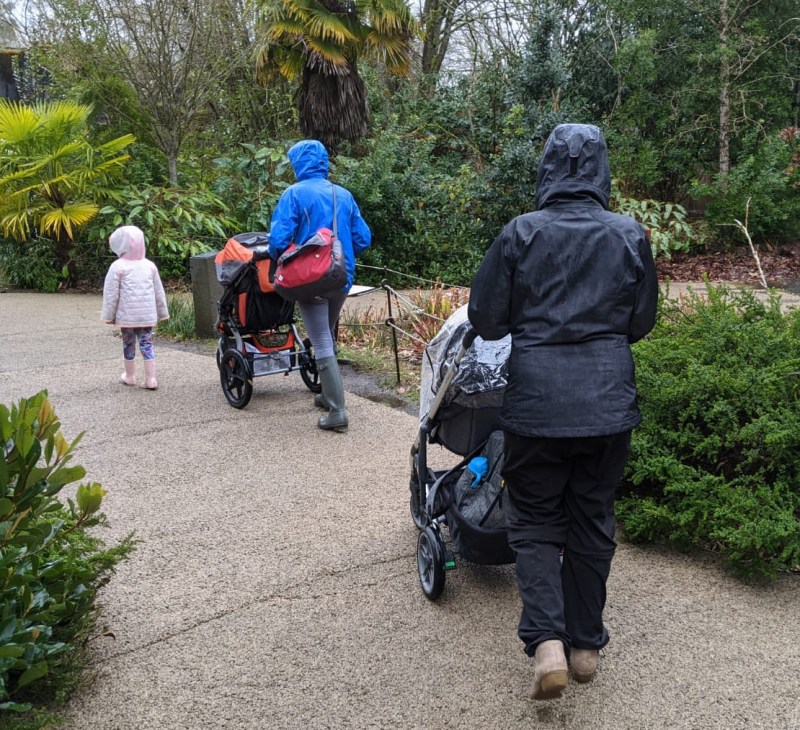
Start of a short zoo visit. There was a rain break for a bit.

While our visit lasted only an hour and half long, it still felt good as it brought about some sense of normalcy. If it were not for the pandemic, this visit would not have been such a big deal. It would be a part of normalcy that our kid would have grown up with. Play dates with kids his age, visit to a park or zoo and visits from friends and family. It’s hard to believe that our son will be a year old next month and neither his grandparents nor his uncles have visited him. With the pace of the vaccines ramping up, I am cautiously optimistic that a new normal (totally different from pre-pandemic or peri-pandemic reality) will emerge where we have social interactions like before but a lot of peri-pandemic norms will persist.

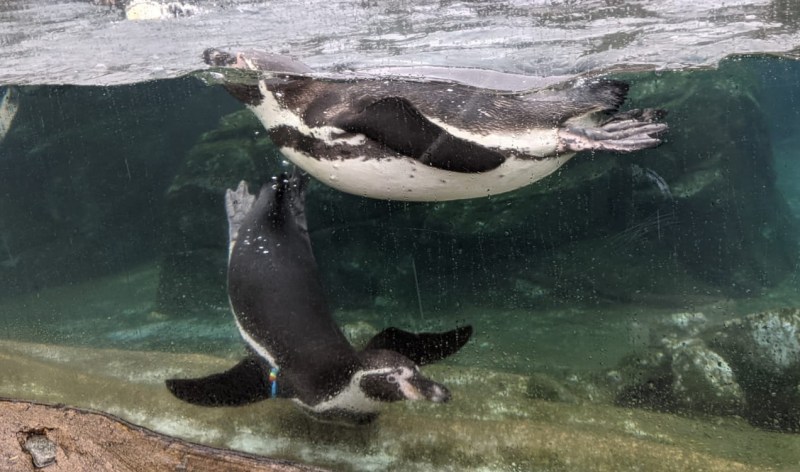
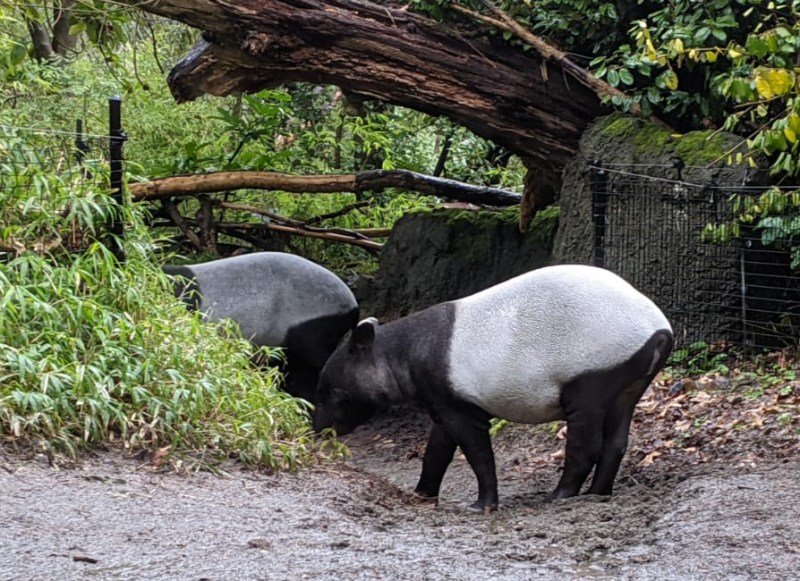
Here are a couple of shots I took while we were at the zoo:

Penguins didn’t seem to mind the cold, windy, rainy weather at all

Tapir. Had never seen or heard of this animal before.

Private Pilot: Next best thing to actual flying

As I have ranted before, because of this damn pandemic, I haven’t been able to finish my IFR training, and since beginning of this year, I haven’t been able to fly. Due to this, I know for a fact that I will be rusty when I finally get a chance to go out and fly. I don’t even know how much I have to refresh myself from an IFR training standpoint. One thing I could (**should**) have done is spend more time on the simulator to keep myself up to date on my IFR training.

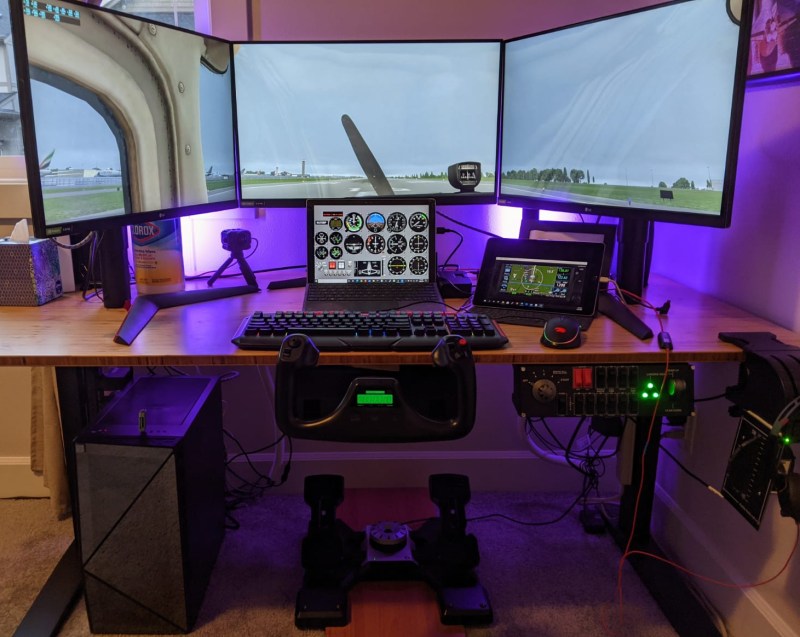
I have a pretty neat simulator set up that, while no way close to the real experience, would have let me practice approaches and flying by instruments. Here is what my setup looks like:

Flight Simulator Setup with XPlane 11

Unfortunately though, there were a couple of issues which delayed my plans for actively using this setup for practice. First, I did not have a good place to mount the yoke which would allow me to be able to use this desk for both work and flying. Second, I had not been able to figure out Xplane 11 response curves for Cessna 172 that are realistic. I have had trouble working the pitch and roll of the plane going from steep climb to steep decent and 60 degree bank from one side to another. I know it has to be a problem with my setup/configuration more than the software because my flight school has Xplane as well and the software there works.

I recently solved both the issues. First, I got a under desk shelf to place the yoke (see the picture above). I was able to place the yoke in such a way that I am still able to use the keyboard without any issue but I can also easily take it out completely if needed. For the response curves, a lot of trial and error led to better handling but I think there is still a bit of improvement needed to get them right. I think the simulator is almost ready for me to start practicing. The only thing that is pending is figuring out updates to the GTN650 trainer. Right now it doesn’t show all available approaches and for some reason it doesn’t show glideslope when using the GPS approaches. Hoping all that it needs is an updated software.

Looking forward to getting back to flying in the next couple of days. Well, to the next best thing to actual flying ofcourse 🙂

Astronomy: DIY Dew Heater

Whether you are a visual astronomer or astro-photographer, one challenge that every one of us faces is dew. Without proper dew management techniques, we run the risk of ruining a perfectly clear night. As you know by now, I live in the Pacific NorthWest and I would hate to lose a perfect night especially when we get so few clear nights to begin with. Right now, its been almost 2 months that I had an opportunity to take my telescope out so dew should not be a reason to pack-up the night. Luckily, there are several dew heaters available in the market to choose from. However, they range anywhere from $50 to $200 with controller costing another $100-$150 bucks. Since Astronomy is an already expensive hobby, I thought I’d use some of my shoddy DIY skills to build a dew heater for myself and document the process along the way. In all, the whole set up doesn’t cost more than $25-$30 but it gets you enough raw material to make several dew heaters of various sizes to fit your equipment including telescopes, guide scopes, eye pieces and camera lenses. The most important thing for building a dew heater is the power output. From looking up online, I found that 0.3 W/cm is considered good output for a dew heater and based on my field test, that’s works. The video below documents my process for building a dew heater. This is my first attempt at vlogging so please bear with me for any noob mistakes and for the pace of my narrative. It is unscripted 🙂

Here is a list of all the items (along with the links to the ones I used) needed to build your own dew heater:

  1. Heating Element (Nichrome Wire)
  2. Heat Shrink Wrap
  3. Dimmer Switch
  4. Wire
  5. 2.5mm jack
  6. Power adapter
  7. RCA Jack
  8. Velcro (optional)

These are the items that go into the dew heater itself. There are other tools (for example: a soldering gun) required to complete the project which are are apparent in the video so I will not be listing them here.

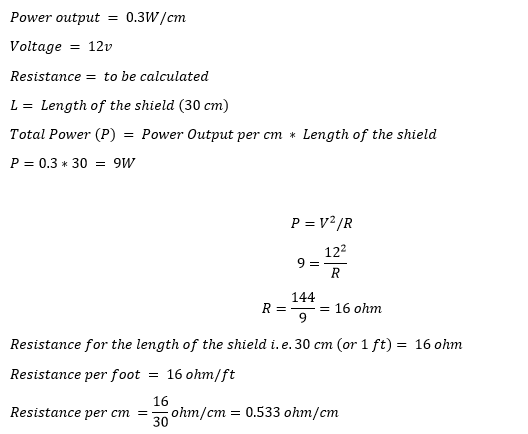
As for the calculation on what gauge Nichrome wire to get for the length of the dew heater. Here it is:

I searched the internet for the wire whose resistivity matches closes to what I needed (16 ohm/ft) and found that 34G fits the bill. Hope this helps!

I was hoping to have a fancy calculator where you input the details and it spits out the resistance that you need but that is not available in the premium subscription I have for my website :).

Astronomy: Guiding Issues Resolved

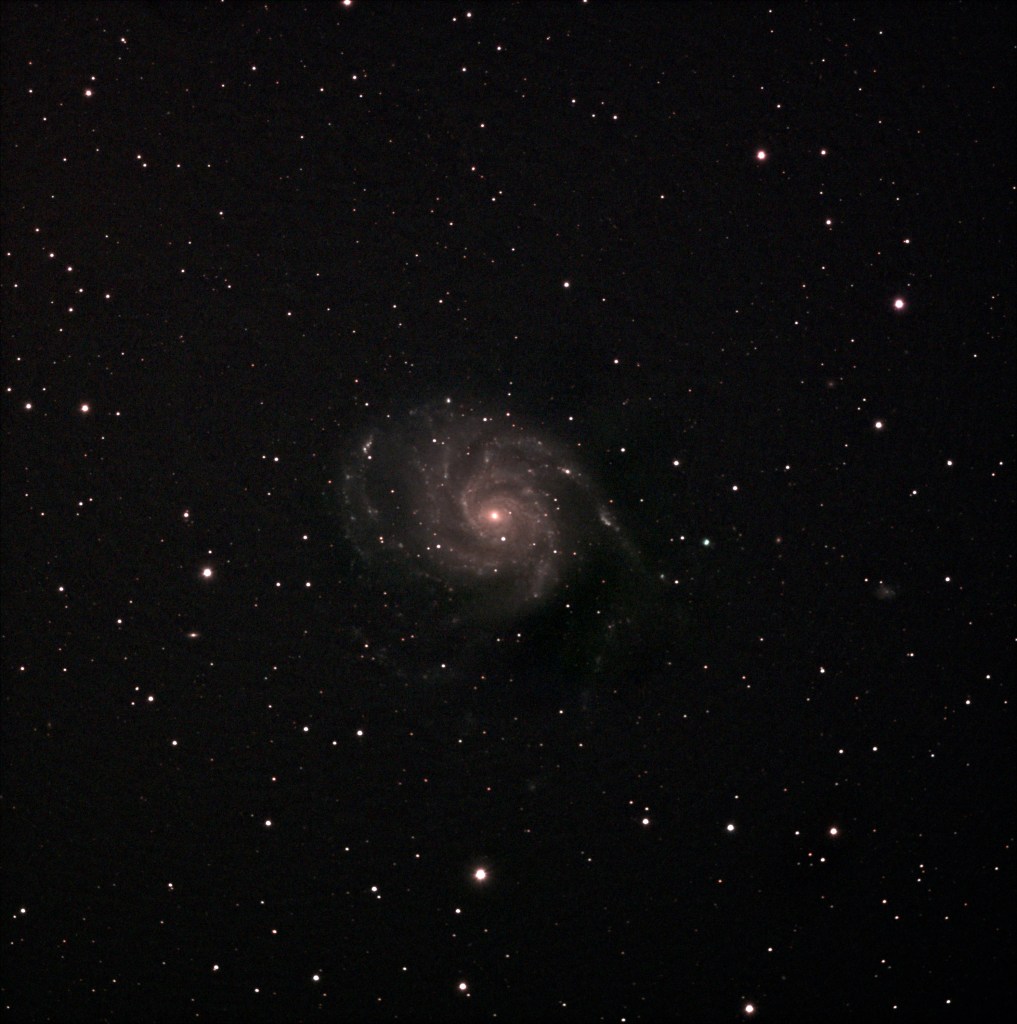
The guide camera issue that I encountered couple of nights ago is now officially resolved. If you haven’t read my previous blog on the issue. Here it is. I was receiving error [ERROR] GetQHYCCDSingleFrame error (-1) and wasn’t able to find a solution online. To resolve it, I decided to re-install Astroberry software and test the camera again. My thought was that in the process of installing sdk for the camera, I might have messed something up. So, I went through the process of reinstalling the software, which in of itself is not a big deal. It takes all of 10 minutes. The bigger pain is installing astrometry image files for plate solving. They FOV that I usually download the files for (its much more than I need) takes up about 13GB of space taking a bit of time to copy over. Once I re-installed EKOS and INDI, I tested the camera and viola, it worked. Just to make sure that running my CCD and guide camera together were not causing issues, I connected the CCD camera as well. Everything worked fine! Excited, I decided to shoot M101 (Pinwheel Galaxy) for the night.

After putting my son to sleep, I set up the scope in the drive way, connected the mount, the guide scope, the focuser and CCD to RPI4, polar aligned it and was all set. I turned on everything and took sample images from CCD to see how far off focus I was and then took a test image from my guide scope and what do I see: [ERROR] GetQHYCCDSingleFrame error (-1). I thought that this night was either going to be a bust or I will have to take short exposures I did last time. Before deciding to go for short exposures, I decided to debug the issue for a bit since the camera worked in the afternoon. The only difference was that I had connected all the equipment now but had only the cameras connected in the afternoon. I disconnected the mount and tired a short exposure image from the guide camera and it worked! Realizing that it must have something to do with my USB hub, I decided to connect the guide camera directly to the RPI4 instead through the HUB and it solved all my problems!

I was able to just over 3 hours of data, most for an image that I have taken so far, and the result speaks for itself:

M101 Pinwheel Galaxy 30×300 second and 11*200 second subs

There was some post processing that I had to do in GIMP to remove light pollution gradient and I think having more integration time would remove the noisiness/graininess from the image but overall I am pleased with what I was able to capture. I did include darks but not flat or bias frames. Next clear sky night I have to decide if I want to stick to this set up or test out my mirrorless with NINA. If I stick with this set up, should I get more data for the same target or go to a different one. Decisions, decisions too many decisions to make…… well, good thing is I don’t need to make any of the decisions right now 🙂 .. so let’s wait for the next clear night and punt the decisions to then.

[Edit]: One thing I forgot to mention in this post and prior post covering this issue is that the setup had worked with all my devices connected to the USB hub. Something changed between builds of Kstars/EKOS/INDI that caused the driver to break.