

The guide camera issue that I encountered couple of nights ago is now officially resolved. If you haven’t read my previous blog on the issue. Here it is. I was receiving error [ERROR] GetQHYCCDSingleFrame error (-1) and wasn’t able to find a solution online. To resolve it, I decided to re-install Astroberry software and test the camera again. My thought was that in the process of installing sdk for the camera, I might have messed something up. So, I went through the process of reinstalling the software, which in of itself is not a big deal. It takes all of 10 minutes. The bigger pain is installing astrometry image files for plate solving. They FOV that I usually download the files for (its much more than I need) takes up about 13GB of space taking a bit of time to copy over. Once I re-installed EKOS and INDI, I tested the camera and viola, it worked. Just to make sure that running my CCD and guide camera together were not causing issues, I connected the CCD camera as well. Everything worked fine! Excited, I decided to shoot M101 (Pinwheel Galaxy) for the night.
After putting my son to sleep, I set up the scope in the drive way, connected the mount, the guide scope, the focuser and CCD to RPI4, polar aligned it and was all set. I turned on everything and took sample images from CCD to see how far off focus I was and then took a test image from my guide scope and what do I see: [ERROR] GetQHYCCDSingleFrame error (-1). I thought that this night was either going to be a bust or I will have to take short exposures I did last time. Before deciding to go for short exposures, I decided to debug the issue for a bit since the camera worked in the afternoon. The only difference was that I had connected all the equipment now but had only the cameras connected in the afternoon. I disconnected the mount and tired a short exposure image from the guide camera and it worked! Realizing that it must have something to do with my USB hub, I decided to connect the guide camera directly to the RPI4 instead through the HUB and it solved all my problems!
I was able to just over 3 hours of data, most for an image that I have taken so far, and the result speaks for itself:
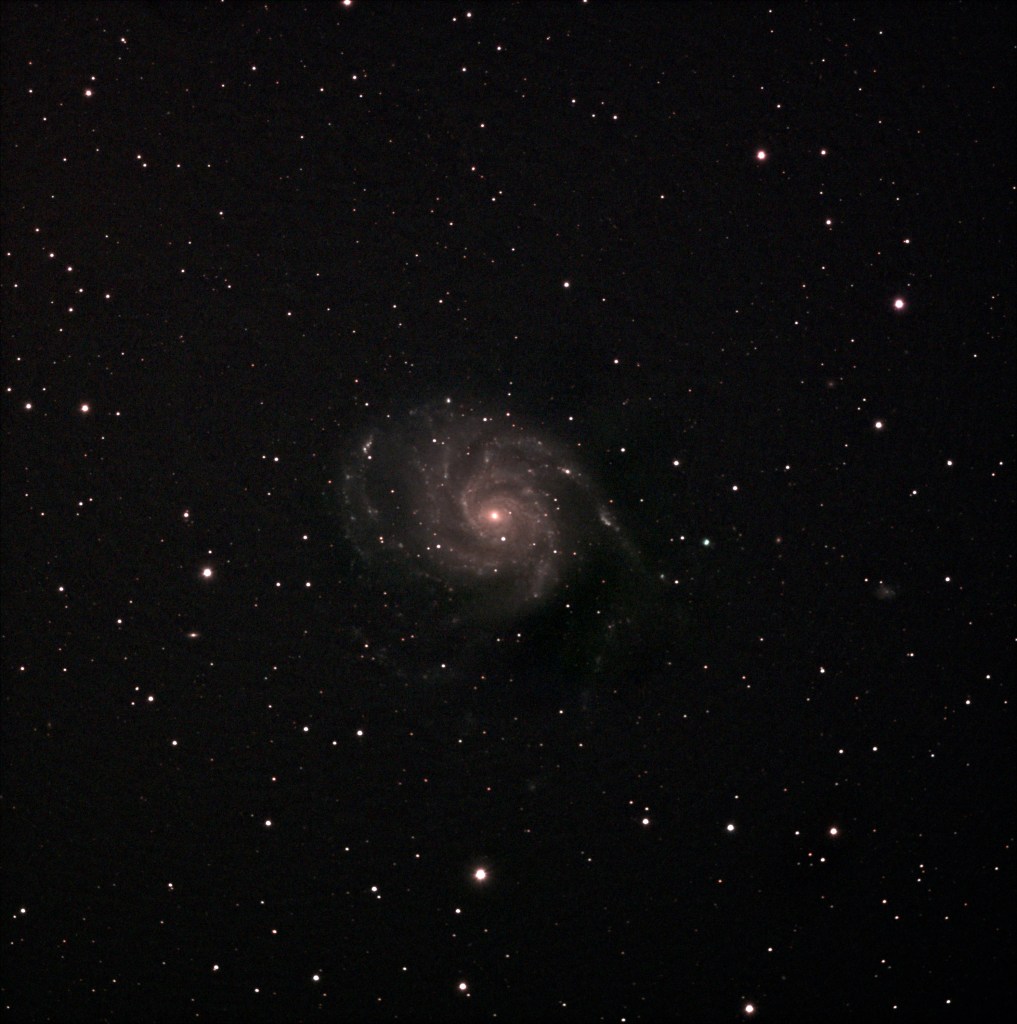
There was some post processing that I had to do in GIMP to remove light pollution gradient and I think having more integration time would remove the noisiness/graininess from the image but overall I am pleased with what I was able to capture. I did include darks but not flat or bias frames. Next clear sky night I have to decide if I want to stick to this set up or test out my mirrorless with NINA. If I stick with this set up, should I get more data for the same target or go to a different one. Decisions, decisions too many decisions to make…… well, good thing is I don’t need to make any of the decisions right now 🙂 .. so let’s wait for the next clear night and punt the decisions to then.
[Edit]: One thing I forgot to mention in this post and prior post covering this issue is that the setup had worked with all my devices connected to the USB hub. Something changed between builds of Kstars/EKOS/INDI that caused the driver to break.
 astropilotdad.com